 JavaScript
JavaScript Gantt Chart Library for Project Management — DHTMLX Gantt
DHTMLX Gantt is a comprehensive JavaScript Gantt chart library designed to simplify project planning, automate scheduling, visualize critical paths, and manage resources efficiently for teams of any size.


Thousands of projects worldwide are managed with tools based on DHTMLX Gantt.


Built for Modern Stacks and AI Coding Assistants
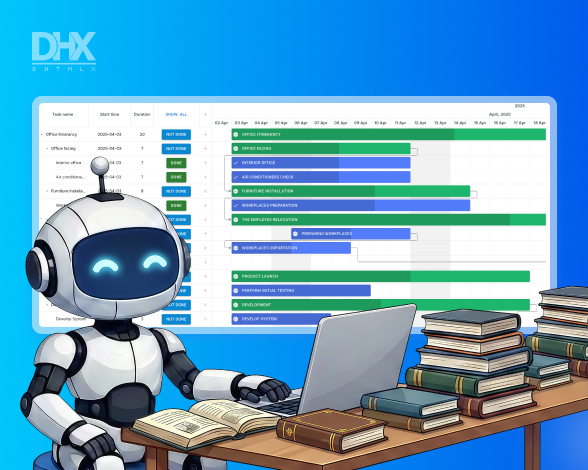
The Community edition of DHTMLX Gantt is released under the MIT license and can be installed via npm. It simplifies prompting with GitHub Copilot or Claude to generate a usable starting point, which can then be adapted to real project requirements.
Prompt
Run npm install dhtmlx-gantt and create a project timeline with at least five tasks, dependencies between them, and a progress indicator on each bar. Enable drag-and-drop to reschedule tasks.
 Vue.js
 Angular
 Svelte
 Salesforce

AI-Powered
Gantt Configuration
Build project timelines faster with AI-powered Gantt demos. These examples show how natural language and DHTMLX Gantt work together to automate routine setup tasks and simplify UI adjustments.

JS Gantt Chart Examples


Powering Project Management Across
Industries with DHTMLX Gantt

Our JavaScript Gantt has been used in three different scenarios to build a complete
strategic portfolio management solution successfully operated in the DACH Region

DHTMLX Gantt allows optimizing engineering processes successfully within the organization.
Read about tips and challenges of using the Gantt chart in the interview with Nathan Brown,
a director of business systems from Multi Parts.

A US-based construction company built an effective field forecasting software by integrating DHTMLX
Gantt into their accounting system. The President of Venplan LLC shared the company's experience of
working with the Gantt chart library.
Professional DHTMLX Gantt Integration Starters
Streamline your development with our collection of official starter projects on GitHub. These templates provide a stable,
pre-configured foundation for integrating our high-performance Gantt chart component into your project, complete with modern
state management, framework-specific routing, and real-time data synchronization.
pre-configured foundation for integrating our high-performance Gantt chart component into your project, complete with modern
state management, framework-specific routing, and real-time data synchronization.
Why Choose DHTMLX JavaScript Gantt for Enterprise Apps?
Easy to set up and use
Even if you are not a JavaScript expert, starting your work with our HTML5 Gantt control is
straightforward. You can quickly initialize it with a few lines of code and equip it with the desired features.
Comprehensive documentation,
technical guides,
and
online demos
have got you covered.
Full-featured out of the box
DHTMLX Gantt is the most complete JavaScript Gantt chart library for project management.
It has all the necessary functionality including different task types, scheduling techniques,
and resource management. Enjoy its clean UI out of the box.
Fully customizable
A rich and flexible API allows you to configure each and every JS Gantt chart element: customize
time scale, define grid structure, style task bars, fine-tune editing form, and add any kind of
custom HTML content.
Stable and high-performance
Robust and flawless performance is the key criterion for large projects with thousands of
tasks. You can load any number of tasks to the JavaScript Gantt component and it will
render them smoothly
due to smart rendering and dynamic loading.
Cross-browser and adaptable
DHTMLX Gantt is cross-browser and works in Chrome, Firefox, Safari, IE11, and all Chromium-based browsers
(e.g., Microsoft Edge, Opera, Vivaldi). Being pure JS, our Gantt chart is compatible with any front-end
and back-end technologies.
Licensing & Pricing for DHTMLX Gantt

|
Individual | Commercial | Enterprise | Ultimate |
|
Gantt
|
$799 | $1599 | $2999 | $5999 |
|
Gantt + Diagram
(PERT charts included) |
$1038 | $2158 | $4718 | $9438 |
|
Diagram (PERT charts included)
|
$599 | $1299 | $2899 | $5799 |
| License Terms | Read License Agreement | Read License Agreement | Read License Agreement | Read License Agreement |
| Developers | 1 | 5 | 20 | |
| Projects | 1 | 1 | 5 | |
| Use in SaaS (unlimited end-users) | Upon request for a fee | |||
| Use in Salesforce | ||||
| Source code | ||||
| Perpetual distribution rights |
|
Support Plan
|
Standard | Premium | Premium | Ultimate |
| Time Period | 1 year | 1 year | 1 year | 1 year |
| Updates | Major, minor, and maintenance updates | Major, minor, and maintenance updates | Major, minor, and maintenance updates |
Major, minor, and maintenance updates
Priority queue for bug fixing
|
| Support requests | 10 | 30 | 50 | |
| Response time | 72h | 48h | 48h | 24h |
| Personal Account Manager |
|
Functionality
|
PRO | PRO + 2 add-ons | PRO + 3 add-ons | PRO + 5 add-ons |
| 20+ PRO features | ||||
| React Gantt chart | ||||
| Several Gantt charts on 1 page This feature enables creating and destroying instances of Gantt, what is especially common for Angular, React, and other frameworks. | ||||
| Online export to PDF/PNG without watermark | Free for 1 year | Free for 1 year | Free for 1 year | Free for 3 years |
| Free local PDF/PNG export module | ||||
| Free local module for MS Project export/import | ||||
| Free Node.js Gantt server module |
Unlock up to 65% Savings with DHTMLX Bundles


DHTMLX Gantt:
Frequently Asked Questions
General
PRO vs Community
Features
Performance
Integrations
Customization
Export and Import
General
What is a Gantt chart in JavaScript?
A Gantt chart JavaScript component is a timeline-based visualization tool used to display tasks, their start and end dates, and the relationship between them. These components help build custom project management and scheduling interfaces with dynamic data and user interaction.
What is DHTMLX Gantt?
DHTMLX Gantt is a JavaScript Gantt chart component for building interactive project timelines and planning tools in web applications. It allows developers to display and edit tasks, dependencies, and project timelines using a configurable grid and time scale. The component includes features for project planning, such as resource management, critical path allocation, and auto-scheduling.
What is DHTMLX Gantt used for?
DHTMLX Gantt is used to build web-based project planning and scheduling tools that visualize tasks on an interactive timeline. As a project management JavaScript library, it helps developers display tasks, dependencies, milestones, and project progress in a structured Gantt chart interface. It also allows users to edit tasks, manage timelines, and organize project workflows directly in the browser. Developers commonly integrate it into web applications to create custom project management and resource planning solutions.
How to install DHTMLX Gantt?
You can install JavaScript Gantt chart functionality with DHTMLX in several ways. The component can be installed via npm (npm i dhtmlx-gantt), downloaded as a package from the DHTMLX website, or included from a CDN in an HTML page. After installation, you should add the Gantt CSS and JavaScript files to your project and initialize the chart in a container element.
Does DHTMLX Gantt support TypeScript?
Yes, DHTMLX Gantt provides full support for TypeScript Gantt chart development. The library includes TypeScript type definitions, allowing developers to benefit from type checking and better code completion in modern editors.
Is it suitable for enterprise systems?
DHTMLX Gantt is designed to be used in complex business applications, including enterprise-level solutions. It provides a configurable enterprise Gantt chart component that supports advanced scheduling, task dependencies, resource management, and integration with backend systems. The library can be embedded into large web applications and extended with custom logic to meet specific business requirements.
Can I integrate it with ERP or CRM systems?
DHTMLX Gantt can be integrated with enterprise software, including ERP or CRM systems, to create a Gantt chart enterprise integration solution. The component can connect to backend databases or APIs to load and update tasks, dependencies, and resources in real time. This allows organizations to visualize project schedules, track progress, and synchronize data across enterprise applications, making it suitable for large-scale project management workflows.
PRO vs Community
Is DHTMLX Gantt free?
DHTMLX Gantt is available in both free and paid editions. The free Community Edition is open-source under the MIT license and available on GitHub. It can be used in commercial, SaaS, and open-source projects if the license terms are followed. A 30-day free trial is available for the paid PRO Edition.
What license does DHTMLX Gantt use?
The Community Edition is licensed under MIT, which allows use, modification, and distribution in commercial and open-source projects with attribution. The PRO Edition is distributed under commercial DHTMLX licenses.
What is the difference between the free and paid editions of DHTMLX Gantt?
The Community Edition includes core Gantt chart functionality. The PRO Edition adds advanced project management features such as auto scheduling, critical path calculation, resource management, baselines, deadlines, task constraints, and advanced export/import options. It also includes official technical support and priority handling of bug fixes and technical requests, depending on the plan.
Who should choose the PRO Edition?
The PRO Edition is a better fit for teams that need advanced project management features, official technical support, and priority handling of bug fixes and technical requests. It is also a good choice for teams that want to evaluate the full feature set with a 30-day free trial before buying a license. It is the recommended option for enterprise requirements.
Features
Does DHTMLX Gantt support task dependencies?
Yes, DHTMLX fully supports Gantt chart task dependencies, allowing you to define relationships between tasks such as finish-to-start, start-to-start, finish-to-finish, and start-to-finish. These dependencies automatically adjust task schedules when a related task is moved or updated, helping maintain accurate project timelines.
Can I calculate the critical path?
Yes, DHTMLX Gantt supports calculating the critical path Gantt chart for your projects, identifying the sequence of dependent tasks that directly affect the project’s finish date. This helps managers spot bottlenecks and optimize schedules. The critical path can be highlighted visually in the chart, making it easier to track crucial tasks and adjust timelines effectively.
Does it support milestones?
Yes, DHTMLX Gantt allows you to add Gantt chart milestones to highlight important events, deadlines, or project achievements. Milestones are displayed as distinct points on the timeline, making it easy to track key goals and project progress. They can be fully customized and integrated with tasks and dependencies for comprehensive project planning.
Can I manage resources?
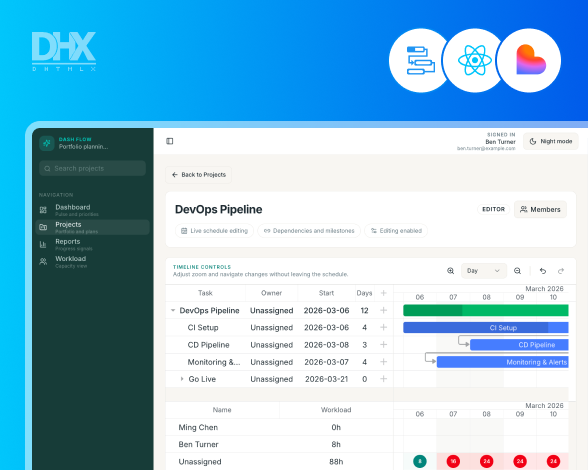
Yes, DHTMLX supports resource management Gantt functionality, allowing you to assign team members or assets to tasks and track their workloads. This helps prevent overbooking, balance task allocation, and visualize resource utilization directly on the Gantt chart.
Does DHTMLX Gantt support baselines?
DHTMLX Gantt's baseline Gantt chart lets you overlay planned schedules on actual progress for clear comparisons. This extra timeline layer helps managers spot deviations, assess delays, and tweak plans effectively.
Can I edit tasks inline?
DHTMLX provides an editable Gantt chart JavaScript interface that allows users to modify tasks directly within the chart. You can update task names, start and end dates, duration, and progress using inline editing, drag-and-drop, or quick forms.
Does it support drag and drop?
Yes, DHTMLX Gantt includes a drag-and-drop Gantt chart feature that lets users move tasks, adjust start and end dates, and change dependencies directly on the timeline. This interactive functionality simplifies project scheduling by allowing real-time updates without manual input.
Can I track project progress?
Yes, DHTMLX Gantt enables robust project progress tracking in JavaScript apps via task progress bars, baseline overlays, and dynamic progress lines from the current date. Developers can configure progress values on tasks for visual fill percentages, customize colors via CSS, and use API methods for real-time updates.
Does it support recurring tasks?
DHTMLX Gantt does not natively support recurring tasks Gantt functionality. You can implement custom recurring tasks using the Gantt API and JavaScript, such as generating repeated task instances dynamically based on rules for daily, weekly, monthly, or annual patterns.
Performance
Can DHTMLX Gantt handle large projects?
DHTMLX Gantt is designed to work efficiently with projects that contain thousands of tasks and links. The library includes such performance optimization features as smart rendering, which allows a Gantt chart with a large dataset to be rendered and managed smoothly in the browser. These capabilities help maintain responsive scrolling, task updates, and timeline interactions even when working with complex project structures.
How many tasks can DHTMLX Gantt render?
DHTMLX Gantt can render tens of thousands of tasks while maintaining smooth performance in modern browsers. The library includes optimization techniques designed for a high-performance Gantt chart, such as smart rendering and efficient data processing. The exact number may vary depending on the browser, hardware, and configuration of the application.
Does it support virtual scrolling?
A virtual scrolling Gantt mechanism is available in DHTMLX Gantt through its smart rendering. Instead of rendering thousands of rows at once, the library dynamically loads tasks within the visible area of the timeline.
Can it handle real-time updates?
DHTMLX Gantt can handle dynamic data updates, which makes it suitable for real-time project tracking scenarios. The chart can be updated programmatically when task data changes, allowing the interface to reflect the latest project information without reloading the page. Developers can synchronize data with backend services or APIs to keep schedules and task progress up to date.
How to optimize Gantt performance?
To optimize Gantt chart performance, DHTMLX Gantt provides several built-in techniques recommended in the official documentation. These include enabling smart rendering to load only visible tasks, reducing the number of DOM elements, and limiting the amount of data displayed at once. Developers can also improve performance by disabling unnecessary features and using efficient data loading methods such as dynamic or server-side loading.
Integrations
Can I use DHTMLX Gantt with React?
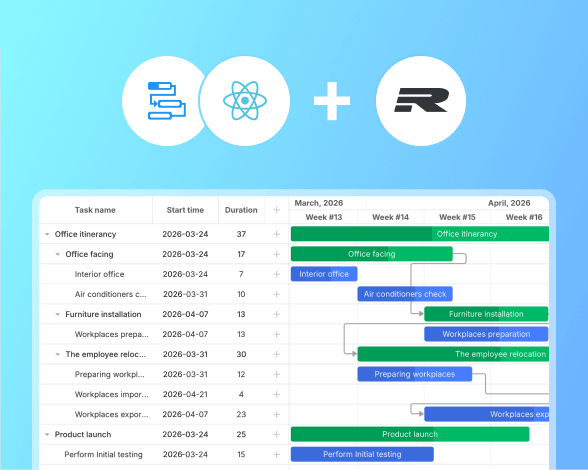
You can use DHTMLX Gantt in React applications to create an interactive React Gantt chart. The chart is typically initialized inside a React component after the container is mounted. Data such as tasks and links can be passed from React state or API responses. This makes it possible to integrate project scheduling into React-based interfaces.
Does it support Angular?
DHTMLX Gantt can be integrated into Angular applications to create a full-featured Angular Gantt chart. The library can be installed via npm and added to an Angular project by creating a component with a container element for the chart. Task and link data can then be loaded into the chart using the Gantt API, allowing Angular apps to display and manage project schedules.
Can I integrate DHTMLX Gantt with Vue?
DHTMLX Gantt can be integrated into Vue applications to build a Vue Gantt chart. It can be installed via npm and added to a Vue project by creating a component and initializing the Gantt instance inside it. The chart is typically mounted in the component's lifecycle and rendered inside a container element.
Does it support Svelte?
Yes, you can use DHTMLX Gantt in Svelte projects to create an interactive Svelte Gantt chart. The official guide shows how to install the library, create a Gantt.svelte component, and initialize the chart with a container element. Project data can then be passed to the component and rendered.
Can I integrate DHTMLX Gantt with Salesforce?
Yes, DHTMLX Gantt can be integrated with Salesforce to build a Salesforce Gantt chart inside the platform. The library is typically uploaded as a Static Resource and embedded in a Salesforce Lightning Web Component (LWC). Project data, including tasks and links, can be stored in custom Salesforce objects and accessed through Apex classes. This setup enables the Gantt chart to display and manage project schedules while keeping data synchronized with Salesforce records.
Can I connect it to the REST API?
DHTMLX Gantt can be integrated with a backend using a Gantt chart REST API. You can implement a RESTful API on the server and connect it using the built-in DataProcessor module. DataProcessor tracks changes in tasks or links and automatically sends AJAX requests to the API when data is added, updated, or deleted.
Does it support GraphQL?
DHTMLX Gantt can be used to build a GraphQL Gantt chart by connecting the component to a GraphQL backend through custom data requests. Developers can fetch tasks and links from a GraphQL API and then load the data into the chart using the Gantt API.
Customization
Does DHTMLX Gantt support themes?
DHTMLX Gantt supports a variety of Gantt chart themes to change the appearance of the project timeline. You can apply predefined skins, including Terrace, Dark, Material, and Contrast, by including the corresponding CSS files. Themes can also be customized with CSS variables to match the design of your web application.
Can I change timeline scales?
DHTMLX Gantt allows you to customize the Gantt timeline scale in JavaScript to display time units that fit your project. You can configure multiple scales (e.g., hours, days, weeks, months) using the scale_unit, date_scale, and subscales properties.
Can I customize the task appearance?
DHTMLX Gantt provides multiple ways to customize the Gantt chart task appearance. Developers can change task colors, text styles, and progress bars using CSS, templates, or task properties. It's allowed to use templates, e.g., task_class, to dynamically apply custom styles based on task data.
Can I create custom task templates?
With DHTMLX Gantt, you can create Gantt chart templates to customize how tasks are rendered. You can use built-in template functions, e.g., task_text, task_class, and task_bar_height, to define custom task labels, CSS classes, sizes, and visual elements. These template functions allow you to tailor the appearance and content of taskbars based on your data or logic.
Can I customize tooltips?
The Gantt chart tooltip customization is available via its built-in tooltip API. You can enable default tooltips or define custom content by using gantt.templates.tooltip_text and event handlers to specify what is shown when users hover over tasks, links, or scales. This lets you include custom HTML, task details, or additional project information in the tooltip display.
Can I configure working time and calendars?
DHTMLX Gantt supports configuring Gantt working time calendar settings to define work hours, non‑working days, and custom work schedules. You can set global working hours, enable automatic exclusion of weekends, and define custom time scales using gantt.setWorkTime(), calendar assignments, and worktime helpers.
Does it support localization?
DHTMLX Gantt supports Gantt chart localization through built-in language files and configurable locale settings. This makes it easy to adapt date formats, texts, and UI elements to different languages and regions, creating a user-friendly project management interface for international teams.
Export and Import
Can I export large projects?
DHTMLX Gantt can export large Gantt project data efficiently using its export API. The library supports exporting to PDF, PNG, Excel, Primavera P6, and MS Project formats, even for charts with thousands of tasks and links.
Can I export a Gantt chart to PDF?
DHTMLX Gantt supports Gantt chart export PDF functionality through a built-in export API. You can enable the export_api plugin and call the gantt.exportToPDF() method to generate a PDF file of the chart. The export can use the DHTMLX online export service or a locally installed export module on your server. You can also customize the output by setting parameters such as file name, page format, orientation, header, footer, or exported date range.
Can I export to Excel?
Yes, DHTMLX Gantt supports Gantt chart export Excel functionality through its export API. You can enable the export_api plugin and call the gantt.exportToExcel() method to generate an .xlsx file from the chart data. The export can use the DHTMLX online export service or a locally installed export module.
Can I import tasks from Excel?
DHTMLX Gantt allows you to import Excel to Gantt chart using its Excel integration features. You can use the importExcel method to load task and link data from .xlsx files directly into the chart. This enables developers to convert spreadsheet-based project plans into interactive Gantt timelines, preserving task details, start/end dates, durations, and dependencies.
Does DHTMLX Gantt support PNG export?
DHTMLX Gantt supports Gantt chart export to PNG and allows saving the current Gantt timeline as an image that can be shared or embedded in reports. You can enable the export_api plugin and call the gantt.exportToPNG() method to generate a PNG image of the chart. The export can use the DHTMLX online export service or a locally deployed export module.
Does DHTMLX Gantt support server-side export?
DHTMLX Gantt supports server-side Gantt export using its export modules. You can deploy the export service on your own server instead of using the online export service, which allows exporting charts to PDF, PNG, Excel, iCal, and MS Project directly from the server. This setup is useful for handling large datasets, automating report generation, and integrating Gantt export into enterprise workflows.


Special offer for you
Get 5% off DHTMLX Gantt
Use this code at checkout to save on your
license purchase. Valid for 3 months.
license purchase. Valid for 3 months.
Promo code
Gantt5I
Click to copy
Customer Reviews & Testimonials